
What we have seen in Shopify search audits is this: zero-result searches are often treated as small UX failures, but they are really demand signals. A shopper has told the store exactly what they want. If the store responds with a dead end, the business loses the sale and the insight.
Charle and other UK Shopify agency content often focuses on CRO, SEO, segmentation, and Shopify growth. StoreBuilt’s angle here is practical: onsite search logs can reveal product naming gaps, missing synonyms, broken merchandising logic, inventory problems, content gaps, and product opportunities.
If your Shopify search reports show repeated failed searches or low search conversion, Contact StoreBuilt.
Table of contents
- Keyword decision and research inputs
- Why zero-result search matters
- The zero-result recovery workflow
- Search recovery table
- Shopify implementation considerations
- An anonymous StoreBuilt example
- StoreBuilt point of view
Keyword decision and research inputs
| Decision | Direction |
|---|---|
| Primary keyword | Shopify zero-result search |
| Secondary keywords | Shopify onsite search, ecommerce searchandising, ecommerce UK market, Shopify CRO, site search optimisation |
| Search intent | Fix failed onsite searches and improve product discovery on a Shopify store |
| Funnel stage | Middle to bottom |
| Page type | Practical searchandising and CRO guide |
| Why StoreBuilt can win | StoreBuilt works across Shopify product data, search, collection UX, analytics, SEO, and merchandising governance |
Research inputs included current SERP intent around onsite search optimisation and Shopify search, Charle’s article themes around CRO and growth, Shopify’s official Search & Discovery context, and a duplicate-risk review against StoreBuilt’s existing site search, searchandising, product data, app stack, and collection architecture posts.
Why zero-result search matters
Customers who use search often have stronger intent than customers who casually browse navigation. They may know the product type, problem, brand, size, ingredient, part number, model, colour, or use case they want. When search fails, the store is failing a high-intent user.
In the UK ecommerce market, this matters because shoppers have alternatives. If your Shopify search cannot understand “trainers” versus “sneakers”, “sofa” versus “couch”, “refill” versus “replacement”, or an internal product nickname, the customer may not work harder. They may return to Google, Amazon, TikTok, or a competitor.
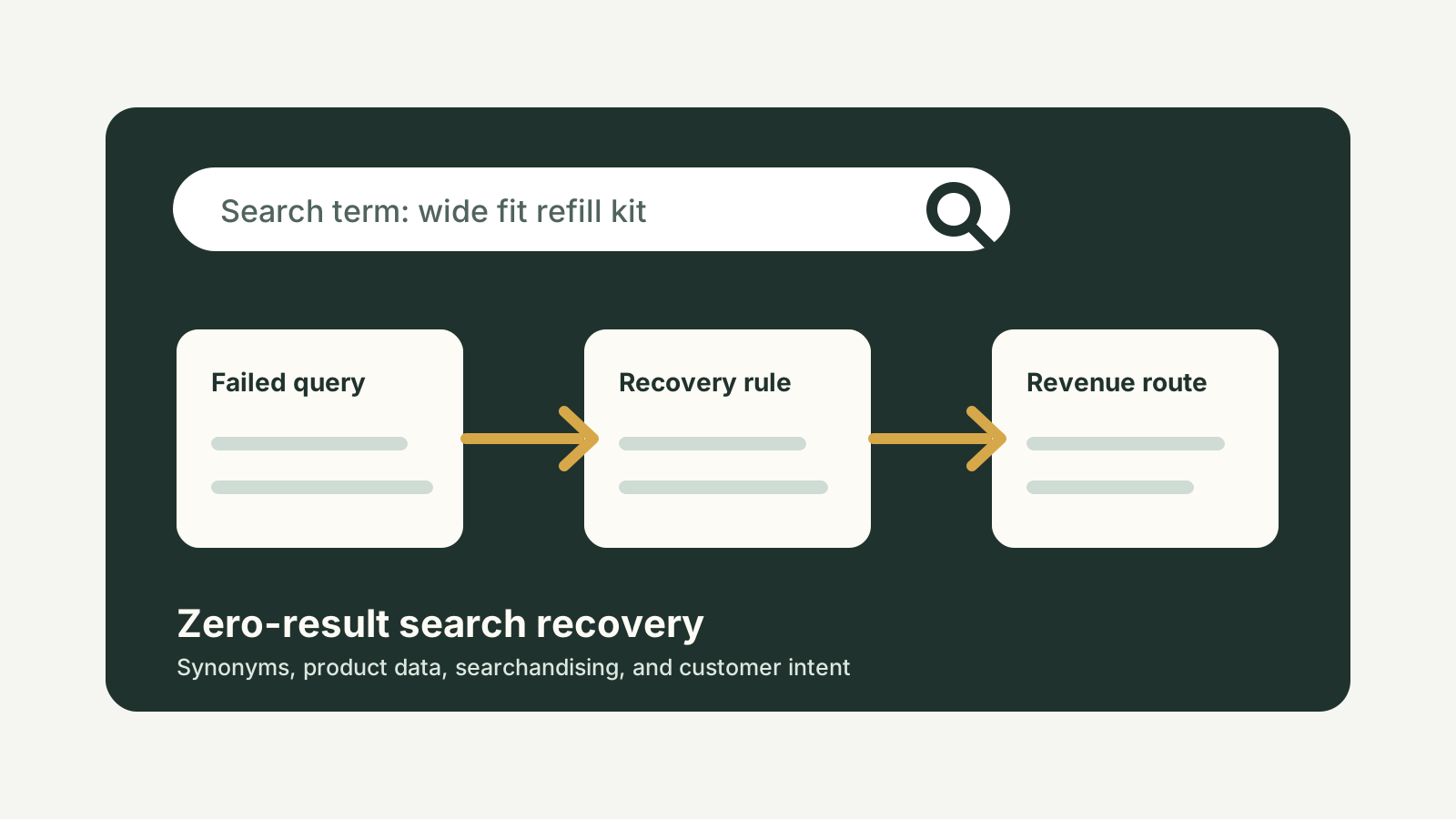
Zero-result queries can also reveal content and SEO opportunities. If many shoppers search for “delivery times”, the information may be hidden. If they search for “wide fit”, product data may be incomplete. If they search for a discontinued product, the store may need an alternative page or redirect path.
The zero-result recovery workflow
1. Export and group failed queries
Do not review failed search terms one by one in isolation. Group them by intent:
- product type
- brand or collection
- use case
- size, colour, material, or fit
- problem or symptom
- delivery, returns, warranty, or support
- discontinued or out-of-stock demand
- misspellings and synonyms
- B2B or trade terminology
The grouping is where insight appears. A single failed query may be noise. Twenty variations of the same search term are a roadmap.
2. Decide whether the issue is search, data, inventory, or content
Not every failed search is fixed by a synonym. Sometimes the product exists but is named differently. Sometimes the product data is too thin. Sometimes the item is out of stock. Sometimes customers are searching for a policy, not a product. Sometimes the product is not sold yet but demand is clear.
This is why zero-result search should involve ecommerce, merchandising, SEO, support, and operations, not only development.
3. Fix synonyms and product attributes
Shopify’s native search and app-based search tools can support synonym logic, filters, boosts, and product merchandising. The exact implementation depends on the stack, but the principle is consistent: customer language should connect to store language.
Use product titles, descriptions, tags, metafields, collection structure, and search settings carefully. Do not stuff irrelevant terms into products. The goal is relevance, not keyword clutter.
4. Create routes for non-product searches
Some searches should route to content. If customers search for “returns”, “installation”, “size guide”, “gift card”, “trade account”, “samples”, or “delivery”, they may need a support page, guide, collection, or account route.
For SEO and customer experience, this can uncover missing pages. A Shopify store with repeated internal searches for the same question may need a guide, FAQ, comparison page, or clearer navigation.
5. Review no-results page UX
A no-results page should never feel like the end of the session. Show helpful alternatives: search suggestions, popular categories, bestsellers, support links, filters, or a contact route. If possible, preserve the query and suggest corrected terms.
The goal is not to distract the user. The goal is to help them recover quickly.
Search recovery table
| Failed search pattern | Likely cause | StoreBuilt fix direction |
|---|---|---|
| Product exists but does not appear | Naming mismatch or missing synonym | Add synonym mapping and improve product attributes |
| Many searches for one out-of-stock item | Demand is present but availability is poor | Add back-in-stock route, alternative products, or stock messaging |
| Repeated policy searches | Information is hidden or unclear | Improve navigation, footer, PDP modules, or support pages |
| Searches by use case | Product data is too product-led | Add use-case collections, copy, and filters |
| Misspellings or regional language | Search logic is too literal | Add common spelling and UK terminology handling |
| B2B terminology | Storefront is too DTC-oriented | Add trade account, catalogue, and customer-type routes |
Shopify implementation considerations
For smaller stores, Shopify’s native search and a disciplined product-data process may be enough. For larger catalogues, a search app may be justified, but only if the team can maintain rules, synonyms, boosts, redirects, and reporting.
The app is not the strategy. Search quality depends on product data, merchandising ownership, catalogue structure, reporting cadence, and release QA.
StoreBuilt’s Shopify support, maintenance and audits service can help teams turn search data into a weekly improvement loop rather than a one-off fix.
An anonymous StoreBuilt example
In one Shopify review, the store had search enabled but no search governance. Failed queries showed customers searching for common product use cases, delivery information, and terms that the brand used internally but not on the storefront.
The fix started with a search-term map. Some terms needed synonyms. Some products needed clearer attributes. Some collection pages needed explanatory copy. A few repeated searches showed enough demand to justify new content and merchandising routes.
The most useful outcome was not a prettier search box. It was a clearer understanding of what customers were trying to buy and where the store language was getting in the way.
High-intent AI search implementation layer
The AI-search version of this topic is not just “write more content”. A useful answer engine result needs a page that gives a direct answer, proves the claim, and shows the next operational step inside Shopify.
| Area | StoreBuilt implementation check |
|---|---|
| Primary intent | The page should map to Shopify onsite search and one clear buyer or operator problem, not a vague traffic topic. |
| Shopify surface | Identify whether the work belongs on a collection, product page, theme section, checkout step, app workflow, email flow, or support process. |
| Proof | Add first-hand observations, product/category examples, screenshots, policy notes, review signals, or trustworthy external sources where they make the advice safer. |
| Internal route | Link the reader to the service most likely to solve the issue: CRO and UX optimisation. |
| Measurement | Check Search Console, analytics, assisted conversions, enquiry quality, and AI-response mentions after the update rather than judging success by pageviews alone. |
For this article, the useful research inputs are: StoreBuilt CRO audit patterns, analytics QA checks, Shopify theme constraints, and buyer-intent SERP patterns. StoreBuilt would prioritise PDP hierarchy, cart friction, mobile merchandising, testing policy, analytics QA, and measured releases before expanding into broader supporting content.
If this topic maps to a live store problem, review the related StoreBuilt service or Contact StoreBuilt with the store URL and the issue you want fixed.
StoreBuilt point of view
Zero-result search is customer research hiding inside Shopify.
StoreBuilt’s view is that failed search terms should be reviewed as part of trading, SEO, and CRO, not left inside analytics. When a customer searches and finds nothing, the store has a chance to recover the session and learn from the demand. The brands that build that loop will improve faster than brands that only redesign the search bar.
For a Shopify onsite search and product-discovery audit, Contact StoreBuilt.