
What we have seen in Shopify CRO reviews is this: brands often treat onsite search, filters, and collections as separate features. Customers do not. A shopper searching for “black waterproof jacket”, filtering by size, landing on a collection page, or clicking a product recommendation is expressing the same need: help me find the right product quickly.
Charle’s article hub covers Shopify SEO, CRO, apps, customer segmentation, and platform guides. StoreBuilt’s opportunity here is to focus on the operational bridge between search and merchandising: the product data, collection rules, filter logic, and trading cadence that make product discovery work.
If customers search but do not find, filter but do not buy, or land on collections that feel uncurated, Contact StoreBuilt.
Table of contents
- Keyword decision and research inputs
- What searchandising means on Shopify
- The product data layer
- Search, filters, and collection table
- The weekly searchandising workflow
- SEO boundaries for filters and search pages
- An anonymous StoreBuilt example
- StoreBuilt point of view
Keyword decision and research inputs
| Decision | Direction |
|---|---|
| Primary keyword | Shopify searchandising |
| Secondary keywords | ecommerce searchandising, onsite search Shopify, Shopify collection filters, ecommerce merchandising, ecommerce UK market |
| Search intent | Improve Shopify product discovery across search, filters, and collections |
| Funnel stage | Middle to bottom |
| Page type | CRO and merchandising operations guide |
| Why StoreBuilt can win | StoreBuilt connects Shopify product data, collection templates, search terms, filters, SEO, CRO, and trading routines |
Research inputs included live SERP intent for Shopify search and ecommerce merchandising queries, Charle’s content patterns around CRO and Shopify guides, UK Shopify agency competitor positioning around growth and UX, Shopify’s product and collection concepts, and a duplicate-risk pass against StoreBuilt’s existing onsite search, zero-result search, AI search merchandising, product data, and collection SEO posts.
The chosen angle is not another generic onsite search article. It is a searchandising operating model for UK Shopify teams.
What searchandising means on Shopify
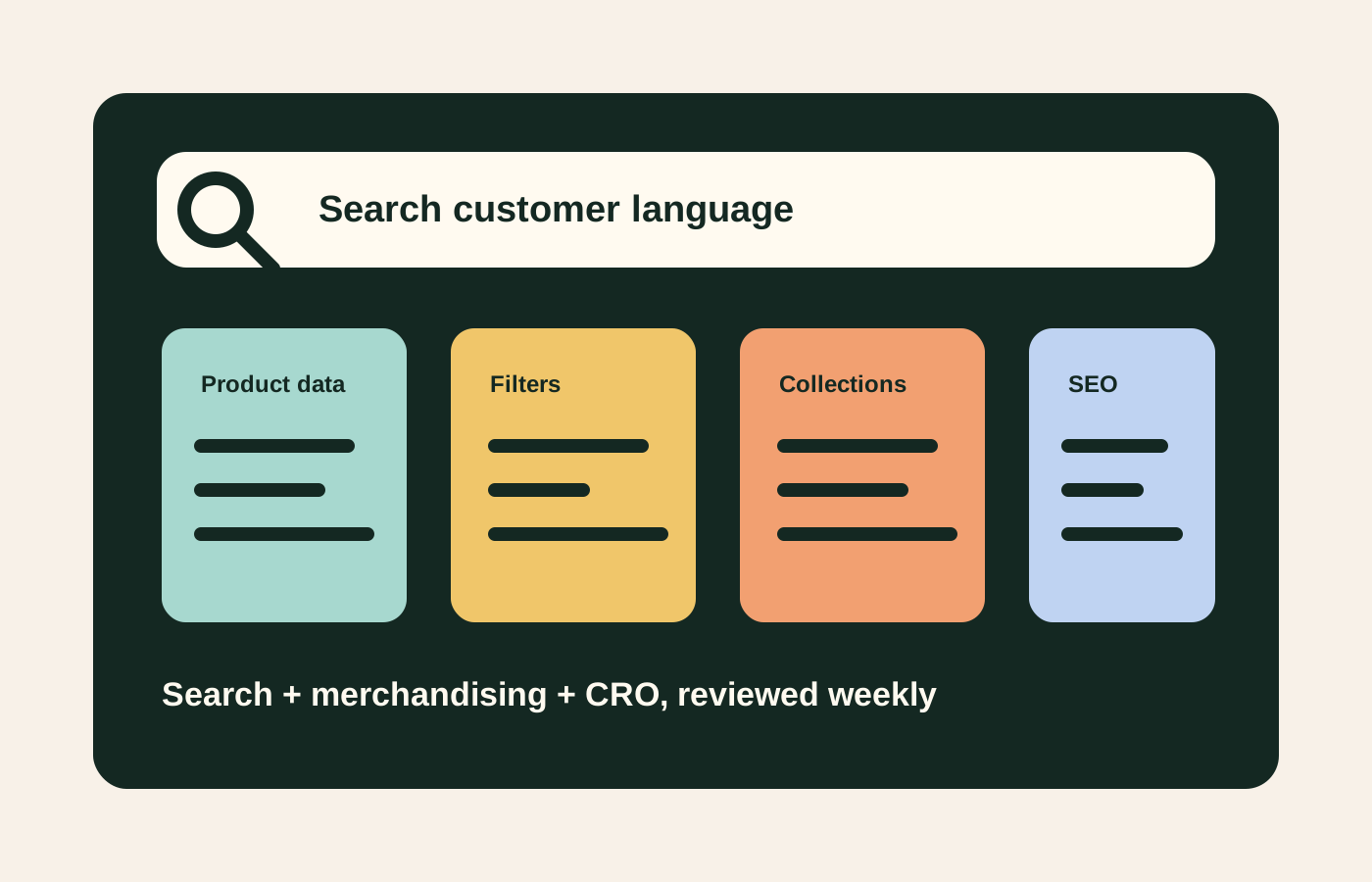
Searchandising is the practice of using search behaviour and merchandising rules together. It asks: when customers tell us what they want, how does the store respond?
On Shopify, that response is shaped by product titles, tags, metafields, variants, synonyms, collection rules, app configuration, theme templates, filter display, sorting logic, product availability, and the content surrounding product grids.
Good searchandising helps customers:
- find the right product faster;
- understand product differences;
- recover from vague searches;
- avoid dead ends;
- compare options;
- move from browse to purchase with confidence.
Bad searchandising forces customers to know the brand’s internal language. The customer searches “wedding guest dress” while the store tags products as “occasionwear”. They search “refill” while the store uses “replacement”. They filter by “small” when variants are labelled “S”. These small mismatches create silent revenue loss.
The product data layer
Searchandising starts with product data. A Shopify search app or collection filter cannot fix messy inputs forever.
Focus on:
Product titles
Titles should balance brand language and customer language. If the product name is creative, the title or nearby content still needs functional meaning.
Product type and category
Use product type and category consistently. Mixed taxonomy makes collections harder to manage and filters harder to trust.
Metafields
Metafields are useful for structured attributes such as material, fit, scent, ingredient, compatibility, size group, use case, care, occasion, dietary attribute, or technical specification.
Tags
Tags can support internal workflows, but they should not become a dumping ground. If tags drive storefront behaviour, govern them like product data.
Variants
Variant names should be understandable. If a customer has to decode colour, size, pack, or subscription logic, discovery weakens.
Availability
Search results and collection pages should account for out-of-stock products. Sometimes keeping an out-of-stock product visible is useful for back-in-stock capture. Sometimes it frustrates shoppers. Decide by category and demand.
Search, filters, and collection table
| Area | Customer need | Common failure | Better Shopify setup |
|---|---|---|---|
| Onsite search | ”Show me the product I mean” | No synonyms, poor titles, irrelevant results | Search terms reviewed weekly, synonyms mapped, top results checked |
| Filters | ”Narrow the range quickly” | Too many filters, weak labels, inconsistent attributes | Metafield-led filters, prioritised by category |
| Collections | ”Help me choose from this category” | Default sorting, no editorial guidance | Curated hero, buying guidance, smart rules, manual boosts |
| Zero results | ”Recover my search” | Dead page with no alternatives | Suggested terms, category routes, popular products, support route |
| Product cards | ”Compare quickly” | Missing price, swatches, reviews, key attribute | Category-specific card metadata |
| SEO | ”Find the right landing page from Google” | Indexing thin filtered URLs | Clear canonical collection pages and controlled filter indexation |
The weekly searchandising workflow
Searchandising should be part of the trading rhythm, not a one-off setup.
Review search terms
Look at top searches, zero-result searches, high-exit searches, and searches with low product clicks. These are customer language signals.
Map synonyms
Build synonym groups for common variations. In UK ecommerce, this often includes product names, category words, spelling variations, materials, occasions, and problem-led terms.
Fix product data
If customers are searching for attributes that exist but are not structured, add them to metafields or clearer product copy. Do not solve every issue with search rules if the product data is weak.
Tune collections
Review top collections by traffic and revenue. Are the first products commercially sensible? Are bestsellers visible? Are poor-fit products dominating because of default sorting? Are new launches buried?
Improve no-result recovery
Zero-result searches are not always failures. They can reveal demand for products you do not stock, terms you have not mapped, or categories customers expect.
Feed insights into SEO and email
Search terms can reveal article ideas, collection copy improvements, email segments, paid keyword ideas, and product naming opportunities.
StoreBuilt’s Shopify SEO and AI search readiness service uses this kind of product-discovery data to strengthen both search visibility and onsite conversion.
SEO boundaries for filters and search pages
Searchandising can create SEO risk if every filtered view becomes a crawlable page. Most Shopify stores should be selective. Core collections should be indexable and useful. Thin filter combinations, internal search pages, and duplicate parameter URLs usually should not compete with canonical category pages.
A practical rule:
- build strong canonical collection pages for real search demand;
- use filters for user experience;
- avoid letting every filter combination become an SEO landing page;
- add internal links to high-value collections;
- monitor indexed URLs in Google Search Console.
Google’s public guidance consistently points back to making content understandable and useful. For ecommerce, that means search engines and customers should both understand which collection pages matter.
An anonymous StoreBuilt example
In one Shopify discovery review, the brand had strong products but weak product-findability. Customers searched by use case, while products were named by collection theme. Search results looked random, filters were based on inconsistent tags, and high-margin products rarely appeared near the top of category pages.
The first phase was not a redesign. It was product data cleanup, synonym mapping, category-specific filter rules, product-card improvements, and a weekly search report. The store became easier to shop because it started responding to customer language rather than internal naming.
That is the point of searchandising: use customer behaviour to improve the storefront.
High-intent AI search implementation layer
The AI-search version of this topic is not just “write more content”. A useful answer engine result needs a page that gives a direct answer, proves the claim, and shows the next operational step inside Shopify.
| Area | StoreBuilt implementation check |
|---|---|
| Primary intent | The page should map to Shopify searchandising and one clear buyer or operator problem, not a vague traffic topic. |
| Shopify surface | Identify whether the work belongs on a collection, product page, theme section, checkout step, app workflow, email flow, or support process. |
| Proof | Add first-hand observations, product/category examples, screenshots, policy notes, review signals, or trustworthy external sources where they make the advice safer. |
| Internal route | Link the reader to the service most likely to solve the issue: CRO and UX optimisation. |
| Measurement | Check Search Console, analytics, assisted conversions, enquiry quality, and AI-response mentions after the update rather than judging success by pageviews alone. |
For this article, the useful research inputs are: StoreBuilt CRO audit patterns, analytics QA checks, Shopify theme constraints, and buyer-intent SERP patterns. StoreBuilt would prioritise PDP hierarchy, cart friction, mobile merchandising, testing policy, analytics QA, and measured releases before expanding into broader supporting content.
If this topic maps to a live store problem, review the related StoreBuilt service or Contact StoreBuilt with the store URL and the issue you want fixed.
StoreBuilt point of view
Searchandising is where CRO, SEO, merchandising, and operations meet.
StoreBuilt’s view is that Shopify brands should stop treating search apps and collection pages as set-and-forget features. Product discovery needs a weekly owner, clean product data, controlled filters, commercial collection rules, and a clear feedback loop from search behaviour into content and merchandising.
For a Shopify search, collection, or CRO audit, Contact StoreBuilt.