
What we have seen in catalogue reviews is this: teams usually start talking about PIM after the product data problem has already spread into search, merchandising, feeds, and support.
By that stage, people think they need better software. Sometimes they do. Often they first need clearer ownership over product information.
If your Shopify catalogue is becoming harder to govern and launch cleanly, Contact StoreBuilt.
Table of contents
- Keyword decision and research inputs
- What PIM actually means
- When a Shopify brand usually needs PIM
- What PIM should own versus what Shopify should own
- PIM decision table for UK ecommerce teams
- StoreBuilt example
- 90-day catalogue-governance plan
- Final StoreBuilt point of view
Keyword decision and research inputs
Primary keyword: what is PIM
Secondary keywords:
- Shopify PIM
- product information management for ecommerce
- ecommerce catalogue management UK
- PIM for Shopify brands
- product data governance ecommerce
Search intent: educational with clear commercial evaluation intent.
Funnel stage: middle funnel leaning toward solution evaluation.
Page type: practical explainer and decision guide.
Why StoreBuilt can realistically win this topic:
- We can explain PIM from a Shopify operating perspective instead of a software-sales perspective.
- UK ecommerce teams often need help separating catalogue governance problems from tooling problems.
- Competitor explainers often define PIM correctly but underplay the rollout and ownership burden.
Research inputs used in angle selection:
- Current SERP intent around
what is PIM, Shopify PIM, and ecommerce catalogue governance. - UK competitor article patterns, including Charle’s broad explanatory guides and adjacent agency publishing.
- Public platform and systems discussions around product data, feeds, taxonomy, and channel consistency.
What PIM actually means
PIM stands for product information management.
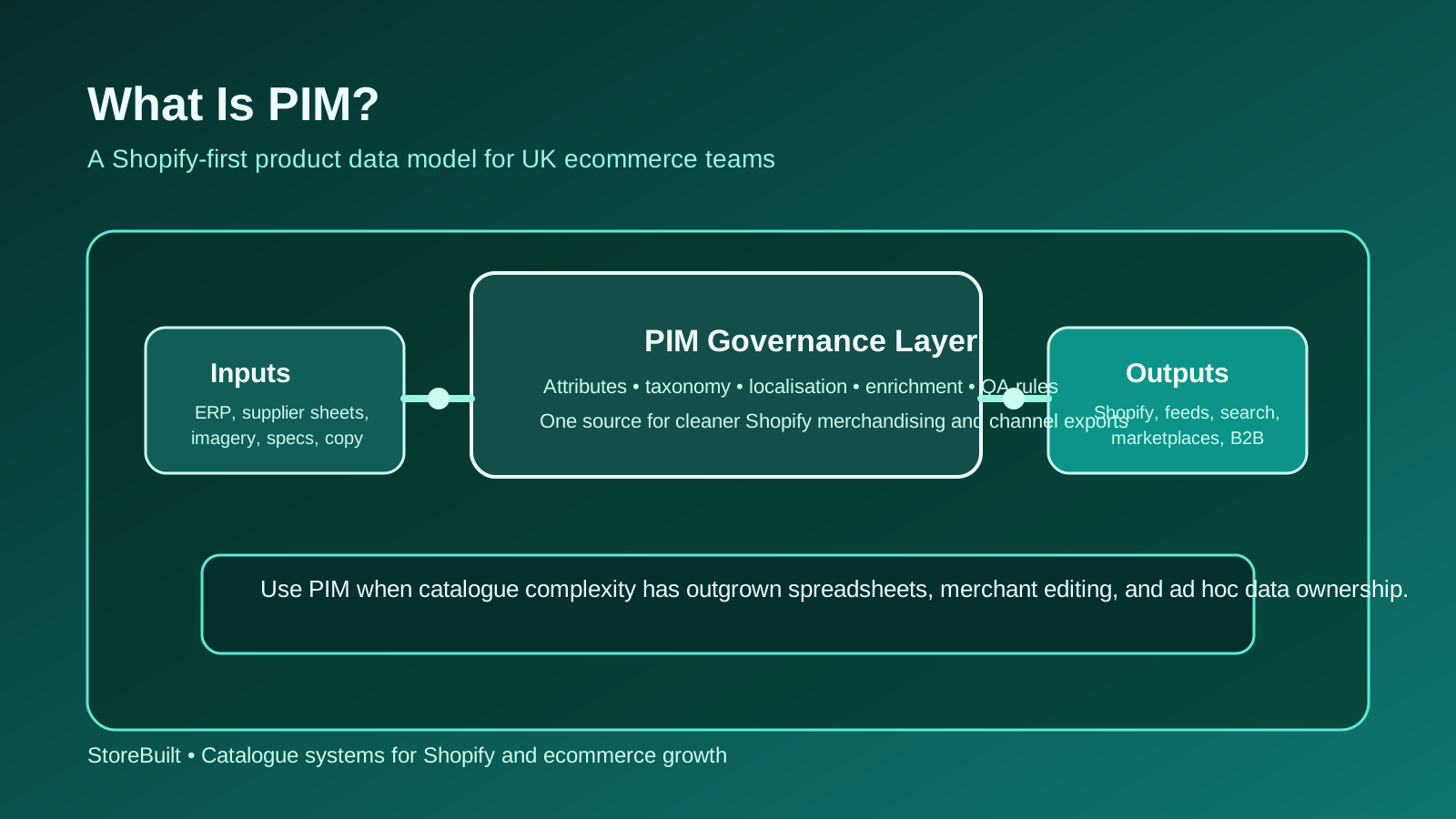
In practical ecommerce terms, it means a structured way to manage the information that describes, enriches, and distributes your catalogue.
That can include:
- titles and descriptions
- product attributes
- specifications and dimensions
- media and asset rules
- taxonomy and category logic
- localisation fields
- marketplace or feed-specific formatting
The important part is not the acronym. It is the operating principle: one reliable system and process for product information, instead of multiple people editing multiple versions of the truth.
For Shopify teams, PIM is usually not about replacing Shopify merchandising. It is about protecting product data quality before that information lands in Shopify, Google feeds, search tools, marketplaces, or B2B catalogues.
When a Shopify brand usually needs PIM
Not every Shopify store needs PIM.
The strongest justification usually appears when catalogue complexity starts creating repeated commercial errors.
Common signs include:
- multiple teams editing product data in different tools
- inconsistent product attributes across categories
- feed issues caused by poor source data
- frequent rework when launching collections or campaigns
- localisation or channel expansion creating duplicate effort
- support teams answering avoidable product-detail questions
In the UK market, we often see PIM become relevant when a business moves from “merchant-managed catalogue” to “operational catalogue”.
That might happen because:
- SKU count rises quickly
- more sales channels are added
- B2B and DTC need different data views
- supplier data arrives in messy formats
- SEO and onsite search depend on stronger attributes
| Situation | PIM often helps | Why |
|---|---|---|
| growing SKU count | yes | manual governance gets harder to sustain |
| multi-channel product publishing | yes | different channels need consistent structured data |
| small single-range catalogue | not always | process discipline may solve more than software |
| complex attribute-driven search | yes | faceting and filtering depend on cleaner data |
| early-stage team with weak ownership | not yet | governance design should come before tooling |
What PIM should own versus what Shopify should own
This is where many implementations go wrong. Businesses buy a PIM but never define the boundary between product data management and storefront merchandising.
In a Shopify-first model, PIM should usually own:
- structured product attributes
- enrichment rules
- supplier data cleanup
- taxonomy consistency
- data validation before publish
- channel-specific export logic where needed
Shopify should usually remain the system for:
- storefront presentation
- collection merchandising
- theme-specific merchandising content
- promotions and offer logic
- merchant-facing launch workflows
If those boundaries stay fuzzy, the business ends up duplicating work across systems.
For teams also trying to improve search and product discovery, StoreBuilt Shopify SEO and AI search readiness is often part of the same fix, because structured attributes directly affect faceting, internal search, and feed quality.
PIM decision table for UK ecommerce teams
Use this decision model before shortlisting software.
| Decision area | Questions to ask | Healthy answer |
|---|---|---|
| Data ownership | who owns product truth today? | one clear accountable function |
| Catalogue complexity | how many attributes and exception paths matter? | complexity is known and mapped |
| Channel spread | how many downstream destinations need product data? | enough to justify structured governance |
| Workflow maturity | will teams use the process consistently? | yes, with named owners |
| Commercial payoff | what gets better if data improves? | SEO, launch speed, feed quality, support clarity |
The most useful PIM question is not “Which platform is best?” It is “What recurring data failure are we paying for today?”
If the business cannot answer that, the project is still too vague.
StoreBuilt example
One Shopify brand believed it needed PIM because new product launches felt chaotic and merchandising always seemed slower than expected. The assumption was that better software would remove the pressure.
The review showed a more specific issue. Supplier data arrived in inconsistent formats, category attributes were not standardised, and different teams were making conflicting edits once products entered Shopify. Search, feeds, and product pages were all inheriting the same mess.
The fix started with ownership and rules, not software procurement. Once the business defined required attributes, data QA checkpoints, and who approved final product truth, the software decision became much cleaner. That is the sequence that usually works.
PIM amplifies a disciplined model. It does not create one on its own.
90-day catalogue-governance plan
If you are considering PIM, start with a governance sprint.
| Timeline | Focus | Output |
|---|---|---|
| Weeks 1-2 | map catalogue sources, fields, and owners | product-data inventory |
| Weeks 3-5 | identify repeated data failures across Shopify and channels | PIM justification map |
| Weeks 6-9 | define attribute standards, QA rules, and publish flow | governance blueprint |
| Weeks 10-13 | shortlist tools only after the model is stable | software decision with scope clarity |
Metrics worth reviewing:
- feed disapproval rate
- product launch rework
- missing or inconsistent attributes
- onsite search and filter usability issues
- support tickets caused by unclear product information
If your team is still discussing product data mainly in Slack threads and spreadsheets, governance has not yet been formalised enough.
For brands trying to improve catalogue quality before a migration, B2B launch, or growth push, StoreBuilt apps, integrations, and automation support is often the right route.
High-intent AI search implementation layer
The AI-search version of this topic is not just “write more content”. A useful answer engine result needs a page that gives a direct answer, proves the claim, and shows the next operational step inside Shopify.
| Area | StoreBuilt implementation check |
|---|---|
| Primary intent | The page should map to what is pim and one clear buyer or operator problem, not a vague traffic topic. |
| Shopify surface | Identify whether the work belongs on a collection, product page, theme section, checkout step, app workflow, email flow, or support process. |
| Proof | Add first-hand observations, product/category examples, screenshots, policy notes, review signals, or trustworthy external sources where they make the advice safer. |
| Internal route | Link the reader to the service most likely to solve the issue: Apps, integrations and automation. |
| Measurement | Check Search Console, analytics, assisted conversions, enquiry quality, and AI-response mentions after the update rather than judging success by pageviews alone. |
For this article, the useful research inputs are: StoreBuilt support-retainer reviews, Shopify operations documentation, fulfilment/app governance patterns, and UK ecommerce operator intent. StoreBuilt would prioritise app stack decisions, integration logic, automation, data flow QA, and operational reliability before expanding into broader supporting content.
If this topic maps to a live store problem, review the related StoreBuilt service or Contact StoreBuilt with the store URL and the issue you want fixed.
Final StoreBuilt point of view
PIM is not a badge of ecommerce maturity. It is a practical answer to a specific catalogue-governance problem.
For many Shopify brands, the right move is not “buy PIM now.” It is to define product truth, attribute standards, and publishing ownership first. Once those are clear, the business can judge whether PIM is necessary and what it should actually do.