
What we have seen in omnichannel audits is this: many store locators answer “where is the shop?” but fail to answer the questions that decide whether someone visits. Is the product available? Is the store open now? Can I collect today? Does this location offer fitting, repair, consultation, or returns? A useful Shopify store locator is a local conversion journey, not a map embedded in a page.
This guide covers the information architecture, inventory logic, location SEO, analytics, and implementation choices UK retailers should make before selecting an app. For an omnichannel journey review, Contact StoreBuilt.
Table of contents
- Keyword decision and research inputs
- What a store locator should achieve
- The minimum useful data model
- Local inventory and click and collect
- Location pages and local search
- Build, app, or hybrid
- An anonymous StoreBuilt example
- StoreBuilt point of view
Keyword decision and research inputs
| Decision | Direction |
|---|---|
| Primary keyword | Shopify store locator |
| Secondary keywords | local inventory Shopify, Shopify store finder, click and collect Shopify, omnichannel ecommerce UK |
| Search intent | Add or improve a store finder that supports local shopping and store visits |
| Funnel stage | Middle to bottom |
| Page type | Implementation and UX guide |
| Why StoreBuilt can win | StoreBuilt connects the locator UI to product availability, fulfilment, location pages, analytics, and store operations |
Research included current SERP intent, current Shopify and app-market patterns, UK agency and specialist store-locator content, related-query signals, and a duplicate-risk review against StoreBuilt’s POS, click-and-collect, omnichannel, and local-market articles. Existing results tend to focus on installation. The gap is a retailer operating model.
What a store locator should achieve
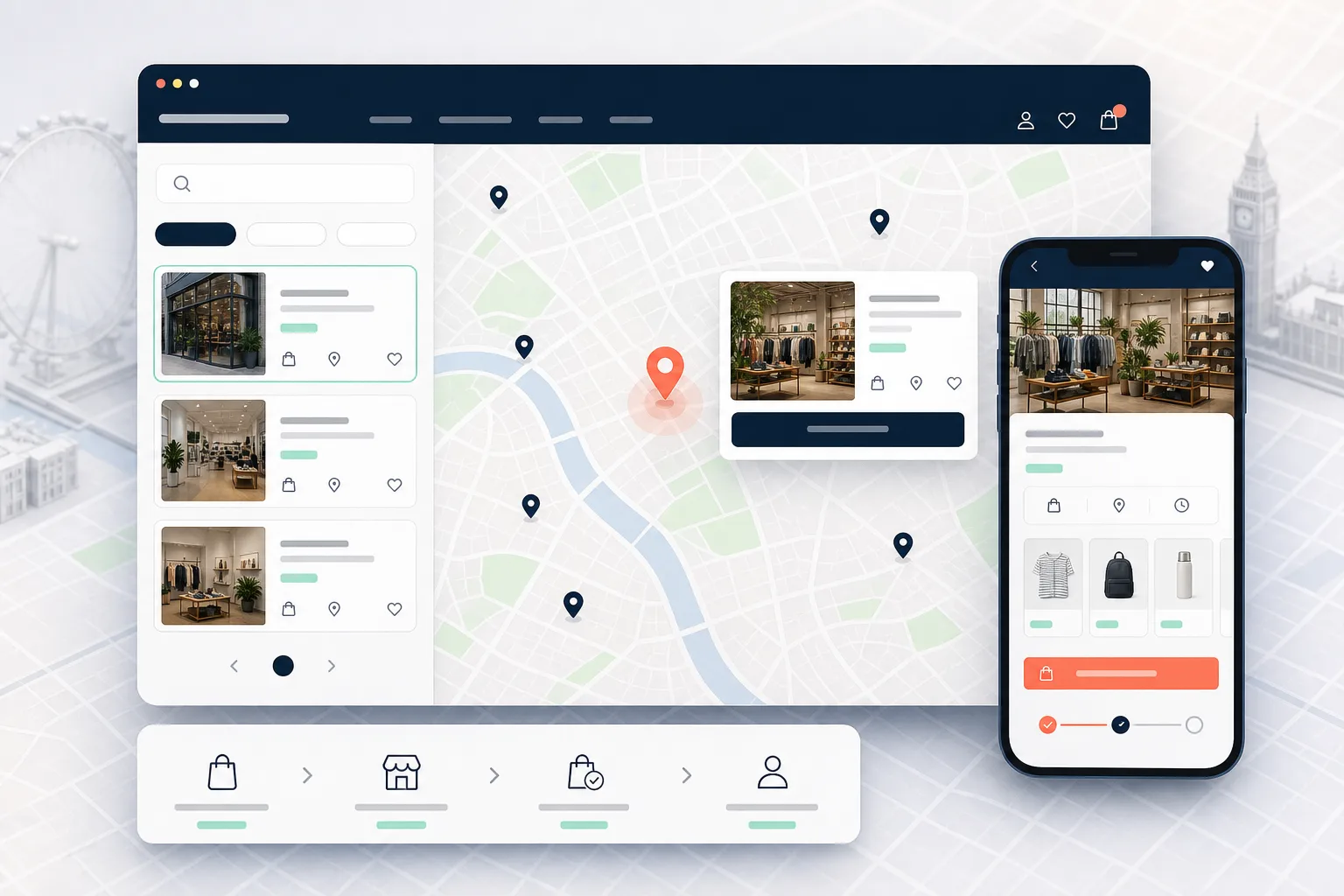
Start with the customer job. Someone may want to:
- find the nearest store or stockist;
- check opening hours and holiday exceptions;
- see whether a product or size is available locally;
- reserve or buy for collection;
- understand services at a location;
- get accessible travel and parking information;
- contact the right team;
- return an online purchase in store.
Each job requires different data and ownership. A map can display coordinates, but it cannot fix inaccurate opening hours or inventory. Define the journey before choosing the interface.
The locator should also fit the main buying paths. Add location access in the header or utility navigation when stores are central to the proposition. Connect product pages to local availability. Link order and returns information to relevant store services. Do not hide the locator in the footer and expect it to drive visits.
The minimum useful data model
| Field | Customer value | Owner | Update frequency |
|---|---|---|---|
| Name and address | Confirms the correct place | Retail operations | On change |
| Coordinates | Accurate distance and directions | Ecommerce/operations | On change |
| Standard and exception hours | Prevents wasted visits | Store manager/operations | Weekly and before holidays |
| Phone and contact route | Resolves local questions | Store team | On change |
| Services | Explains why to visit | Retail operations | Monthly |
| Accessibility and travel | Supports visit planning | Store team | On change |
| Collection/returns rules | Sets expectations | Operations/customer care | On policy change |
| Local inventory status | Supports product-led visits | Inventory system | Near real time where possible |
Use one source of truth for each field. If hours live in a spreadsheet, Google Business Profile, the POS, and the Shopify page with no owner, they will diverge. Store pages should show “last updated” internally even if that field is not public, so stale records can be found.
Local inventory and click and collect
Local inventory is where a locator becomes commercially useful and technically demanding. Decide what “available” means. It might mean physical stock exists, sellable stock exceeds safety stock, the item is available for immediate collection, or staff must confirm it.
Avoid exact quantities unless inventory accuracy supports them. “In stock” can be safer than “three available” when shop-floor movement, reservations, returns, or POS delays cause variance. For high-demand items, use reservation windows and expiry rules.
The product page should help customers answer three questions:
- Which nearby location has the right variant?
- When can it be collected?
- What happens after the order is placed?
Click and collect also needs operational design: picking alerts, staff ownership, collection-ready confirmation, identity checks, uncollected-order handling, substitutions, refunds, and stock reconciliation. A button is the visible edge of a fulfilment workflow.
For implementation across storefront and operations, see Shopify store design and development.
Location pages and local search
A single interactive map is useful for discovery, but individual location pages can provide clearer, crawlable information. Give each genuine location a stable URL, unique title, address, hours, services, travel details, contact information, and relevant local copy. Link these pages from the locator and an HTML-accessible location index.
Do not create hundreds of thin city pages for places where the business has no physical presence. Google and customers need a real destination, not a template with the city name changed.
Keep key information in HTML rather than only inside a client-rendered map. Add appropriate structured data where the business facts support it. Keep names, addresses, phone details, and hours consistent with official business profiles. If a location closes, redirect or clearly explain the alternative rather than leaving a dead page indexed.
Measure local intent through events such as postcode search, location result view, directions click, call click, inventory check, collection selection, and store-service enquiry. Treat directions clicks as intent, not confirmed visits.
Build, app, or hybrid
| Approach | Use when | Watch for |
|---|---|---|
| Store-locator app | Requirements are standard and speed matters | Script weight, styling limits, data exports, usage pricing |
| Custom theme build | Locations are few and data is simple | Manual maintenance and future inventory scope |
| Headless/custom service | Search, inventory, and experience are complex | Cost, monitoring, API limits, operational ownership |
| Hybrid | An app or service provides data/search while theme controls UX | Integration boundaries and upgrade testing |
Evaluate accessibility, mobile use, postcode quality, consent requirements, analytics, API limits, data ownership, and fallback behaviour. Test with map scripts blocked or slow. Customers still need a list, address, and contact route.
An anonymous StoreBuilt example
In one retail journey review, the business assumed customers wanted a better map. Session paths and support questions suggested a different priority: customers were moving from product pages to the locator because they wanted stock confidence before travelling.
The improvement plan therefore started with variant-level availability language and collection expectations, then simplified location discovery. The lesson was that the map was not the product. Confidence was the product.
If your locator has traffic but cannot show whether it changes customer behaviour, Contact StoreBuilt.
High-intent AI search implementation layer
The AI-search version of this topic is not just “write more content”. A useful answer engine result needs a page that gives a direct answer, proves the claim, and shows the next operational step inside Shopify.
| Area | StoreBuilt implementation check |
|---|---|
| Primary intent | The page should map to Shopify store locator and one clear buyer or operator problem, not a vague traffic topic. |
| Shopify surface | Identify whether the work belongs on a collection, product page, theme section, checkout step, app workflow, email flow, or support process. |
| Proof | Add first-hand observations, product/category examples, screenshots, policy notes, review signals, or trustworthy external sources where they make the advice safer. |
| Internal route | Link the reader to the service most likely to solve the issue: Shopify store design and development. |
| Measurement | Check Search Console, analytics, assisted conversions, enquiry quality, and AI-response mentions after the update rather than judging success by pageviews alone. |
For this article, the useful research inputs are: StoreBuilt Shopify audits, UK ecommerce SERP intent, Shopify platform documentation, and AI-search measurement patterns. StoreBuilt would prioritise theme architecture, Online Store 2.0 sections, metafields, template governance, and storefront implementation before expanding into broader supporting content.
If this topic maps to a live store problem, review the related StoreBuilt service or Contact StoreBuilt with the store URL and the issue you want fixed.
StoreBuilt point of view
A Shopify store locator should connect product intent with a reliable local promise. StoreBuilt’s view is to invest first in data ownership, inventory meaning, and store operations; then design the map, list, and location pages around those truths.
The best locator is not the one with the most pins. It is the one that helps a customer make a confident next move and gives the retail team a workflow it can actually maintain.
For a broader UX and conversion review, request a free Shopify audit.