
What we have seen in retail ecommerce is this: shoppers do not need perfect inventory transparency to feel confident, but they do need the store to stop making promises it cannot support. Once stock trust drops, conversion, support load, and store credibility all suffer together.
If inventory messaging is creating hesitation or avoidable service queries, Contact StoreBuilt.
Table of contents
- Keyword decision and research inputs
- Why local inventory visibility matters commercially
- What shoppers actually need to know
- Inventory visibility framework for Shopify retailers
- Where UK retailers usually get this wrong
- How to stage the rollout without damaging trust
- StoreBuilt example
- Final StoreBuilt point of view
Keyword decision and research inputs
Primary keyword: shopify local inventory visibility
Secondary keywords:
- local store stock Shopify
- Shopify store availability
- UK retail inventory visibility
- ecommerce UK market inventory trust
- omnichannel stock messaging
Search intent: operational-commercial intent from retail teams improving stock visibility and local availability communication on Shopify.
Funnel stage: middle to bottom.
Likely page type: operational playbook.
Why StoreBuilt can realistically win this topic:
- Inventory visibility is a conversion and support problem, not just a systems topic.
- Competitor content often discusses Shopify POS or inventory apps, but under-covers customer-facing stock trust.
- StoreBuilt can explain the connection between inventory accuracy, messaging discipline, and shopper confidence.
Research inputs used on June 4, 2026:
- Current SERP review for
shopify local inventory,store availability Shopify, and retailer stock-visibility queries. - Competitor review across Charle inventory-related content, POS-adjacent UK agency pages, and broader retail-ops guidance.
- Public search demand signals around stock availability, nearby store inventory, click and collect, and pickup confidence.
Why local inventory visibility matters commercially
For a multi-location retailer, stock visibility is often treated as a convenience feature. It is more than that.
Good local inventory visibility can:
- increase confidence for shoppers who want immediate access;
- reduce pre-purchase support questions;
- improve store-footfall quality;
- support click and collect and local buying journeys;
- reduce disappointment from inaccurate availability assumptions.
Poor local inventory visibility does the opposite:
- it makes the store look unreliable;
- it creates extra contact volume;
- it increases aborted store visits;
- it can push shoppers back toward competitors with clearer local confidence.
This is especially relevant in the UK market where shoppers often expect practical clarity quickly. If they are choosing between local collection, store visit, or delivery, vague stock messaging becomes a blocker.
What shoppers actually need to know
Most retailers overestimate how much detail shoppers need and underestimate how much certainty they need.
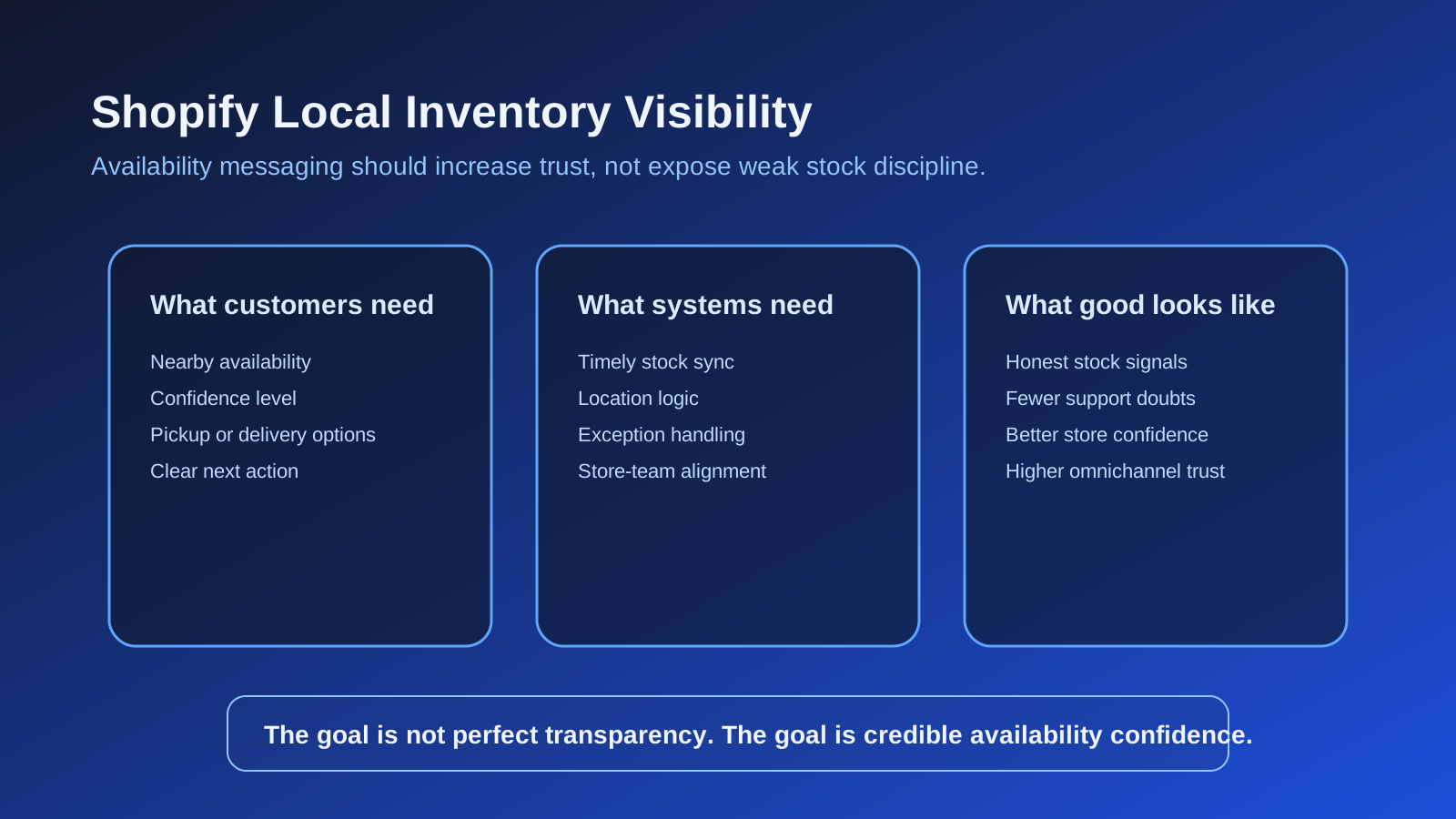
Customers usually want answers to four questions:
- Is this item available anywhere near me?
- Can I trust that status enough to act on it?
- Can I collect it, reserve it, or visit for it?
- What happens if the availability changes?
That means “inventory visibility” is not only a data-sync topic. It is a UX and messaging topic too.
In many categories, the right answer is not to expose exact unit counts publicly. It is to communicate sensible confidence bands and clear next actions:
- available at selected store;
- low stock at selected store;
- available for collection from location X;
- unavailable locally, available for delivery.
The best stock messaging reduces doubt without pretending the inventory model is perfect.
Inventory visibility framework for Shopify retailers
| Layer | Customer need | Internal requirement | Risk if weak |
|---|---|---|---|
| Store selection | Know which location matters | Reliable location logic | Shoppers act on the wrong context |
| Availability signal | Understand if the item is realistically obtainable | Timely stock sync | False confidence and wasted trips |
| Next action | Decide between delivery, collection, or visit | Joined-up fulfilment rules | Hesitation and lost intent |
| Exception handling | Understand what happens if stock changes | Staff and support ownership | Complaints and manual recovery |
| Messaging governance | See consistent language across site and support | Content and ops alignment | Brand looks disorganised |
This is why local inventory visibility should be treated as a system of signals, not a badge placed near the add-to-cart button.
Where UK retailers usually get this wrong
1. They publish stock confidence before they have stock discipline
If location inventory updates are slow, manual overrides are common, or damaged stock handling is inconsistent, public stock visibility will expose those weaknesses.
2. They confuse exactness with usefulness
Publicly showing hard unit counts is not automatically better. For some retailers, confidence-led wording is safer and clearer.
3. They isolate inventory from fulfilment logic
Availability messaging has to reflect what the shopper can actually do next. If the product is “available” but cannot be collected quickly or reserved meaningfully, the message is incomplete.
4. They forget the support team
Support and store teams need the same language the site is using. If the website says “low stock” but internal teams cannot explain what that means operationally, the customer gets mixed answers.
5. They roll out store-wide before validating a few locations properly
Inventory visibility should usually start with the stores that already have stronger process discipline.
If your stock communication needs to support broader omnichannel journeys, Shopify Store Design & Development and Apps, Integrations & Automation often overlap in the delivery.
How to stage the rollout without damaging trust
The safest route is usually progressive.
Phase 1: Define the availability model
Decide what statuses the customer will see and what each one must mean operationally.
Phase 2: Validate internal inventory confidence
Test the selected locations against real product scenarios, store behaviours, transfers, and returns handling.
Phase 3: Launch narrow and observe
Begin with selected categories or locations where stock discipline is already stronger.
Phase 4: Tighten customer messaging
Refine the wording so shoppers understand the confidence level and next action clearly.
Phase 5: Connect support insights back into the model
If store or support teams keep fielding the same stock questions, the public messaging is still incomplete.
Helpful related reading:
- Shopify POS for UK Retailers Implementation Playbook
- Shopify Click and Collect for Food Brands UK
- Shopify Buy Online, Return In Store on Shopify: A UK Ecommerce Operations Guide
If local stock confidence is affecting conversion and service load, review StoreBuilt support and audit services.
StoreBuilt example
A multi-location retailer wanted to surface local availability more aggressively because store teams believed nearby stock visibility would lift conversion. The commercial instinct was sound, but the initial message model was too confident for the underlying stock process.
Inventory adjustments were not always reflected cleanly across locations, and the storefront language implied more certainty than the system could actually maintain. Instead of forcing a full-confidence rollout, we tightened the status language, limited the rollout scope, and focused on locations with stronger inventory handling first.
That kept the customer promise honest while the wider stock discipline improved.
High-intent AI search implementation layer
The AI-search version of this topic is not just “write more content”. A useful answer engine result needs a page that gives a direct answer, proves the claim, and shows the next operational step inside Shopify.
| Area | StoreBuilt implementation check |
|---|---|
| Primary intent | The page should map to shopify local inventory visibility and one clear buyer or operator problem, not a vague traffic topic. |
| Shopify surface | Identify whether the work belongs on a collection, product page, theme section, checkout step, app workflow, email flow, or support process. |
| Proof | Add first-hand observations, product/category examples, screenshots, policy notes, review signals, or trustworthy external sources where they make the advice safer. |
| Internal route | Link the reader to the service most likely to solve the issue: Shopify support, maintenance and audits. |
| Measurement | Check Search Console, analytics, assisted conversions, enquiry quality, and AI-response mentions after the update rather than judging success by pageviews alone. |
For this article, the useful research inputs are: StoreBuilt support-retainer reviews, Shopify operations documentation, fulfilment/app governance patterns, and UK ecommerce operator intent. StoreBuilt would prioritise technical audits, roadmap priority, theme changes, app governance, reporting, and measured improvement before expanding into broader supporting content.
If this topic maps to a live store problem, review the related StoreBuilt service or Contact StoreBuilt with the store URL and the issue you want fixed.
Final StoreBuilt point of view
Local inventory visibility on Shopify should make a shopper feel calmer, not more suspicious.
The right implementation is not the one that reveals the most data. It is the one that communicates the right level of confidence, supports the next action clearly, and stays honest about operational reality. UK retailers usually gain more from disciplined availability messaging than from flashy stock widgets.
If your team wants local stock visibility to improve conversion instead of amplifying support pain, build it as a trust system, not a front-end gimmick. If that needs a more structured rollout, Contact StoreBuilt.