
What we have seen in post-agency recoveries is this: the worst handovers are not the dramatic ones. They are the polite ones where files, passwords, and vague reassurances are passed over, but nobody can answer how the store actually works.
If you are inheriting that situation, start from the StoreBuilt London Shopify Agency homepage for the wider agency context, or Contact StoreBuilt for a takeover conversation.
Table of contents
- Keyword decision and research inputs
- What competitor positioning hides about handovers
- The first 30 days after a weak handover
- Stabilisation checklist table
- What not to do in recovery mode
- StoreBuilt client example
- Final StoreBuilt point of view
Keyword decision and research inputs
Primary keyword: shopify agency handover
Secondary keywords:
- bad shopify handover
- shopify support takeover
- ecommerce uk market stabilisation
- shopify post-launch recovery
- shopify agency transition checklist
Search intent: practical and commercial from ecommerce teams that need to regain control after a problematic agency transition.
Funnel stage: middle to bottom.
Why StoreBuilt can win this topic:
- Handover recovery is a real operating problem, not just a content topic.
- We see the technical and commercial fallout when agency exits are poorly documented.
- We can offer a structured stabilisation model instead of generic “audit your store” advice.
Research inputs used on June 3, 2026:
- Current SERP review for
shopify agency handover,shopify support takeover, and post-launch recovery patterns. - Competitor scan across UK Shopify agency guidance and support positioning, including Charle-style practical content signals.
- Real StoreBuilt observations from takeover audits, release cleanups, and support transitions.
What competitor positioning hides about handovers
Most agency sites talk about launch, growth, and partnership. Very few explain what a controlled exit or transition should look like. That is understandable from a sales perspective, but it leaves buyers underprepared.
Charle and other strong UK competitors publish useful implementation content, yet handover quality is still rarely the headline topic. In practice, though, it matters a lot. A bad handover can leave the merchant exposed across:
- theme ownership
- app sprawl
- access control
- analytics trust
- integration dependencies
- release safety
The key lesson is simple: a handover is not a folder. It is a transfer of operational control.
The first 30 days after a weak handover
Do not start with cosmetic changes. Start with control and risk reduction.
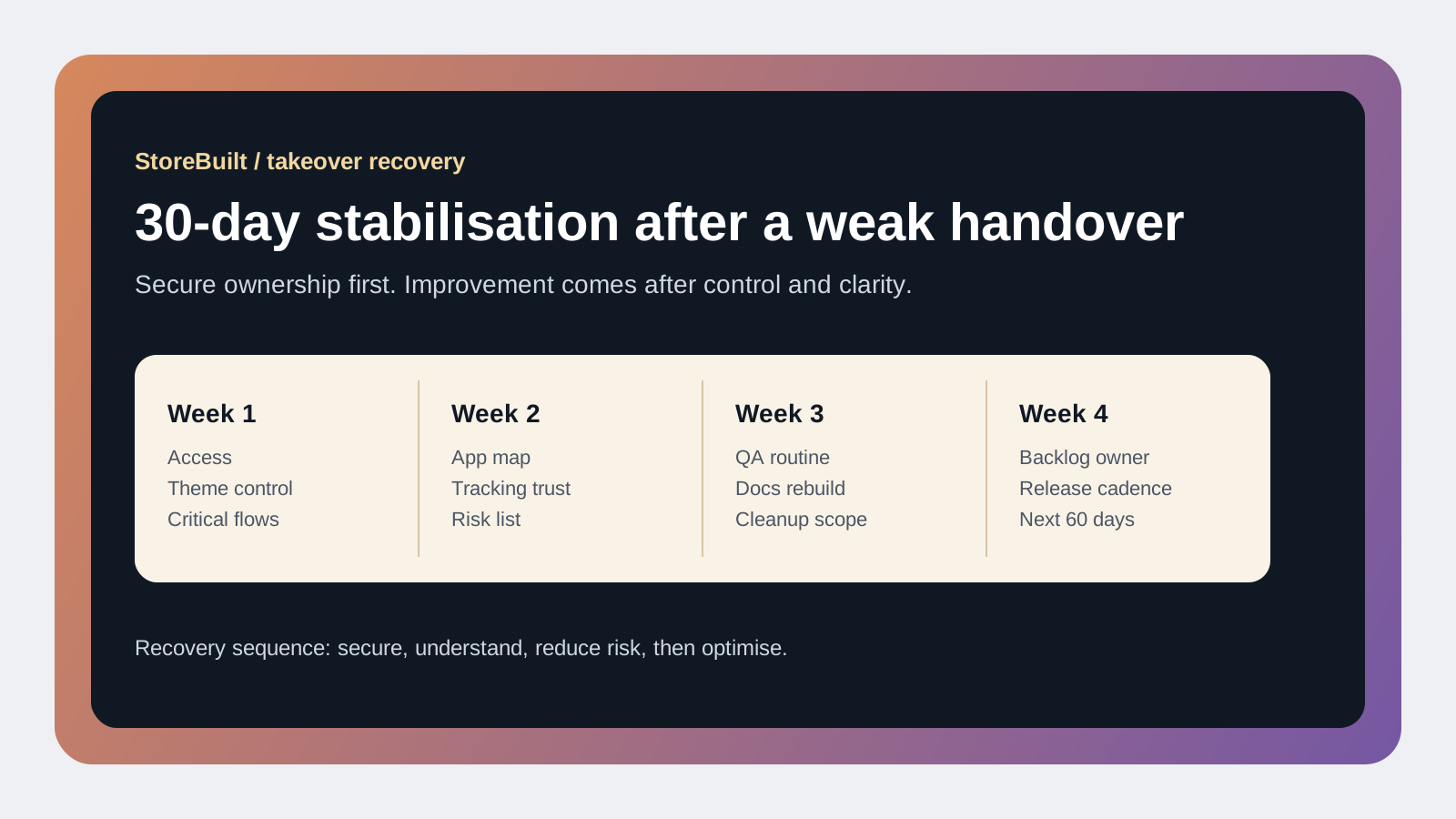
The first 30 days should normally focus on four priorities:
- Secure access and ownership.
- Understand what is live.
- Reduce release risk.
- Decide what to clean now versus later.
That sequence matters because many brands rush straight into redesign tweaks before they know whether apps, scripts, custom code, and integrations are stable.
Week one should answer:
- who currently has admin access
- which apps are business-critical
- whether theme versions and deployment method are understood
- what tracking is meant to be trusted
- which integrations could break revenue if touched carelessly
Weeks two and three should turn that knowledge into a short stabilisation backlog. This usually includes access cleanup, documentation recovery, testing flows, and removing or isolating the most obvious sources of fragility.
Week four should establish the new operating rhythm: backlog ownership, QA rules, and a sensible cadence for shipping changes.
Stabilisation checklist table
| Stabilisation area | First action | Why it matters |
|---|---|---|
| Admin access | Audit staff, collaborators, agency accounts, and credentials | Reduces security and continuity risk |
| Theme control | Identify live theme, backup state, unpublished versions, and release method | Prevents accidental overwrite or broken rollout |
| App stack | Review installed apps, purpose, overlap, and dependency risk | Surfaces cost, speed, and conflict issues |
| Core customer journeys | Test PDP, cart, checkout entry, account, and post-purchase flows | Finds revenue-critical breakpoints fast |
| Tracking and analytics | Confirm what can be trusted and what is degraded | Protects decision quality |
| Documentation | Rebuild a simple operating note for the current store state | Restores internal confidence and continuity |
The goal is not to solve everything in one month. The goal is to stop the store being unknowable.
That is also why recovery should distinguish between:
- urgent risks that threaten trading
- medium-term debt that needs sequencing
- nice-to-have improvements that can wait
Brands often waste energy mixing all three into one noisy list.
If you need a takeover audit with practical next steps, StoreBuilt can help.
What not to do in recovery mode
There are three mistakes we see repeatedly.
First, changing too much too quickly. Teams inherit a messy store, get frustrated, and start deleting apps or editing code before the dependencies are understood. That can create a second incident on top of the first.
Second, assuming the analytics layer is accurate because the storefront looks normal. Weak handovers often include tracking drift that only becomes obvious when reporting decisions stop matching commercial reality.
Third, relying on memory instead of rebuilding documentation. Even if the team thinks it understands the current setup, write it down. Recovery fails when knowledge sits in calls and chat threads rather than a usable operating record.
A strong stabilisation plan should therefore be boring in the best possible way. Controlled, documented, prioritised, and sequenced.
StoreBuilt client example
A UK beauty brand came to StoreBuilt after a previous agency relationship ended abruptly. Access existed, but clarity did not. Several apps overlapped, the live theme state was unclear, and no one could explain how certain merchandising features had been implemented.
Instead of starting with redesign requests, we treated the first phase as recovery. Access was tightened, the app stack was mapped, high-risk flows were tested, and a simple operating document was rebuilt. Only after the store became legible again did new optimisation work begin.
That change in sequence mattered. The team moved from reactive anxiety to controlled progress, and later improvements shipped with much less risk.
High-intent AI search implementation layer
The AI-search version of this topic is not just “write more content”. A useful answer engine result needs a page that gives a direct answer, proves the claim, and shows the next operational step inside Shopify.
| Area | StoreBuilt implementation check |
|---|---|
| Primary intent | The page should map to shopify agency handover and one clear buyer or operator problem, not a vague traffic topic. |
| Shopify surface | Identify whether the work belongs on a collection, product page, theme section, checkout step, app workflow, email flow, or support process. |
| Proof | Add first-hand observations, product/category examples, screenshots, policy notes, review signals, or trustworthy external sources where they make the advice safer. |
| Internal route | Link the reader to the service most likely to solve the issue: Shopify support, maintenance and audits. |
| Measurement | Check Search Console, analytics, assisted conversions, enquiry quality, and AI-response mentions after the update rather than judging success by pageviews alone. |
For this article, the useful research inputs are: StoreBuilt support-retainer reviews, Shopify operations documentation, fulfilment/app governance patterns, and UK ecommerce operator intent. StoreBuilt would prioritise technical audits, roadmap priority, theme changes, app governance, reporting, and measured improvement before expanding into broader supporting content.
If this topic maps to a live store problem, review the related StoreBuilt service or Contact StoreBuilt with the store URL and the issue you want fixed.
Final StoreBuilt point of view
Recovering from a bad Shopify agency handover is not mainly a design problem or even a development problem. It is an operating-control problem. UK ecommerce teams that recover well usually do the same three things: secure ownership, rebuild clarity, and slow down enough to sequence the cleanup properly.
The biggest mistake is trying to skip straight to improvement before stability exists. First make the store understandable. Then make it better. That order protects revenue, reduces team stress, and creates a much stronger platform for future Shopify growth.