
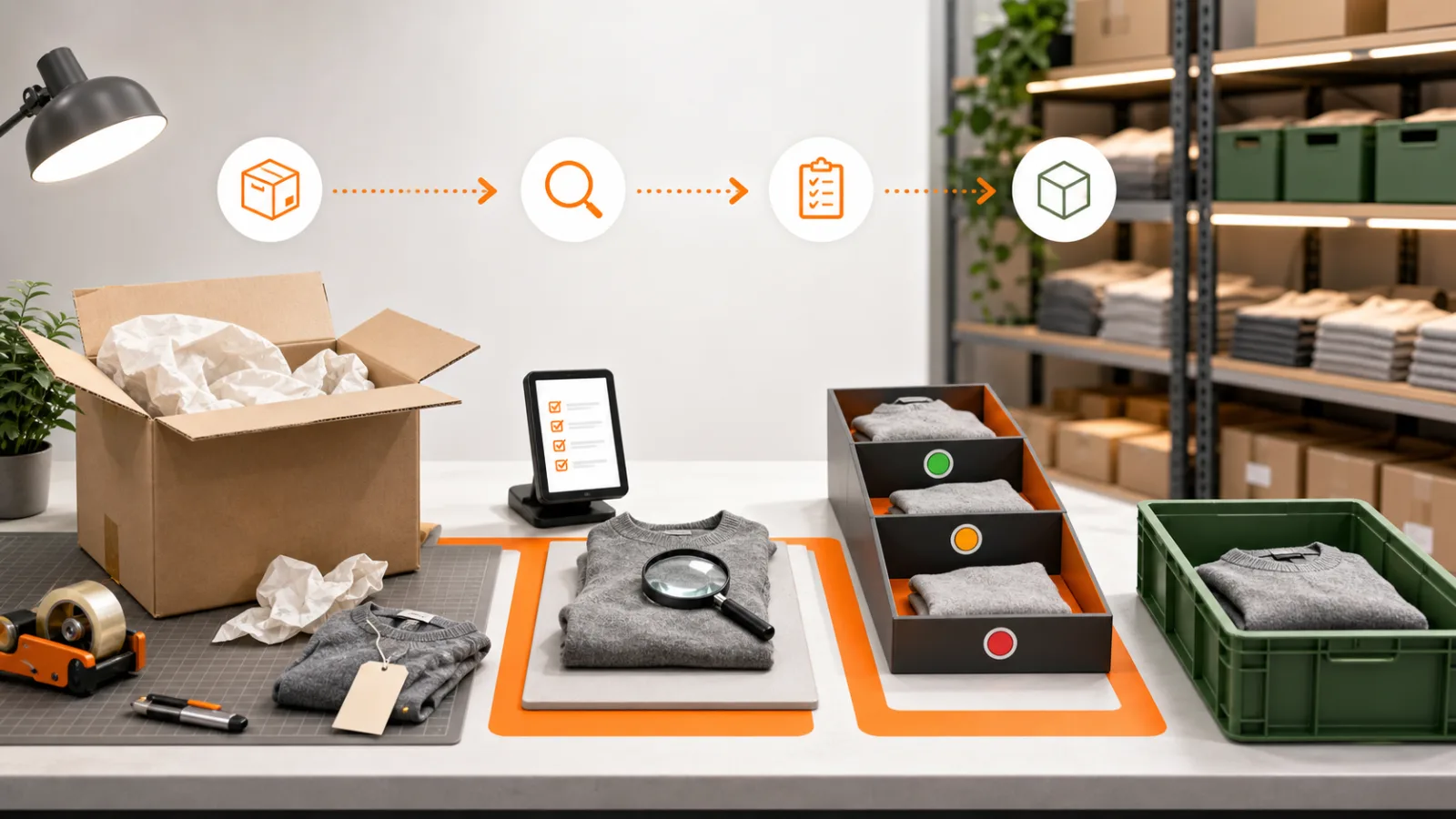
What we have seen is this: a supplier shipment can be booked into inventory because a delivery note says 100 units even when the warehouse counted 96. The four missing units then become an apparent warehouse loss, oversell or reconciliation problem. Receiving must record physical truth, not copy expected quantity.
Contact StoreBuilt to connect supplier orders, Shopify inventory and warehouse receiving.
Table of contents
- Keyword decision
- Separate every quantity
- Build the receiving checkpoint
- Handle discrepancies visibly
- Control Shopify availability
- Measure supplier and receiving performance
- StoreBuilt point of view
Keyword decision
Primary keyword: Shopify purchase order receiving. Secondary intents include Shopify stock receiving UK, supplier delivery discrepancies and ecommerce goods receiving. Intent is operational-commercial for retailers scaling inventory processes or integrations. UK agency libraries cover inventory apps and forecasting, but rarely explain the receiving control where supplier records become sellable Shopify stock. StoreBuilt can win with a practical, system-aware workflow.
Separate every quantity
Use distinct figures for ordered, supplier-confirmed, shipped, incoming, physically received, accepted and rejected. One “received” column cannot explain a partial shipment or damaged carton.
| Quantity | Meaning | Owner |
|---|---|---|
| ordered | quantity requested from supplier | buying |
| confirmed | quantity supplier commits | buying/supplier |
| shipped | quantity supplier says left | supplier/logistics |
| received | quantity destination counted | receiving team |
| accepted | quantity approved for stock | inventory/quality |
| rejected | present but not accepted | inventory/quality |
Shopify’s incoming inventory state represents stock on its way from purchase orders, transfers or apps. Incoming is not available to sell until it is received. Preserve that distinction in customer promises and replenishment reporting.
Build the receiving checkpoint
Book a delivery against a purchase order and shipment reference. Verify supplier, destination, carton count and visible damage before line-level receipt. Scan or count by variant, keeping the purchase order quantity visible but never auto-confirming it.
An anonymous homeware retailer received mixed supplier cartons during peak. Staff keyed the delivery-note total and corrected differences later through stock adjustments. Wrong-colour variants therefore appeared online for several days. A barcode-led receipt with partial acceptance made the discrepancy visible at the dock and kept unverified units unavailable.
| Check | Evidence | Failure route |
|---|---|---|
| shipment identity | PO and supplier reference | unmatched delivery lane |
| variant identity | SKU/barcode and product view | unknown-item review |
| quantity | independent count | shortage/overage record |
| condition | packaging and product check | reject or quarantine |
| batch/serial | expected traceability data | specialist exception |
Avoid relying on a supplier barcode without mapping it to the correct Shopify variant. Duplicate or reused identifiers turn fast scanning into fast inaccuracy.
Explore Shopify inventory integrations for supplier, ERP and warehouse connections.
Handle discrepancies visibly
Use standard reasons: shortage, overage, wrong SKU, damaged, expired, missing component, serial mismatch and duplicate shipment. Attach proportionate evidence and assign an owner. Do not make the receiving team decide commercial credit terms at the dock.
Partial receipts should leave the outstanding balance open. Add a revised expected date, backorder confirmation or cancellation decision. Where one purchase order arrives across several shipments, track each handover independently so the first carton does not close the whole order.
For overages, record physical custody but do not automatically create free sellable inventory. The buyer may accept and pay, return the excess or treat it under an agreed tolerance. Link the resolution to supplier credit or invoice matching.
Control Shopify availability
Accepted inventory must be added to the location that physically controls it. If goods need inspection, labelling or put-away, keep them unavailable until the next action is complete. For products not active at a location, decide deliberately whether they should become sellable and fulfilable there.
Make integrations idempotent: retrying a receipt message must not add the same units twice. Store purchase order, shipment, Shopify variant, location, operator, quantity and event time. Reconcile accepted receipt totals to Shopify inventory changes daily.
Permissions should separate creating purchase orders, receiving, rejecting and making manual adjustments where team size allows. Every manual adjustment related to a receipt should reference the underlying discrepancy rather than erase it.
Measure supplier and receiving performance
Track supplier on-time delivery, line fill rate, receiving accuracy, rejection rate, discrepancy value, dock-to-accepted time and accepted-to-available time. Segment by supplier, category, destination and delivery type.
| Pattern | Likely response |
|---|---|
| frequent shortages | supplier fill-rate review |
| repeated wrong SKU | master-data and label mapping |
| long accepted-to-available time | put-away or system latency |
| high damage by route | packaging and carrier review |
| many manual adjustments | receiving workflow bypass |
Audit both directions: sample a physical received unit back to its purchase order and sample a Shopify stock increase back to receiving evidence. Review ageing incoming quantities so abandoned orders do not distort planning.
Request a Shopify audit if supplier deliveries and Shopify stock are reconciled only after errors surface.
Prepare the dock for peak deliveries
Peak receiving fails when buying plans volume but the warehouse plans only floor space. Forecast deliveries by cartons, lines and inspection complexity, not just units. Reserve labelled holding zones for unchecked, accepted, rejected and unmatched goods so physical location reflects system status. Make scanners, printers, labels and network coverage part of the readiness check.
Test the difficult cases with staff before volume arrives: one purchase order across two vehicles, two purchase orders in one carton set, an unannounced substitution, an overage, a damaged mixed carton and an item whose supplier barcode maps to more than one record. Staff should know which cases they can resolve and which must stop in an exception lane.
Set a daily control total: opening unprocessed receipts plus deliveries received, less lines accepted, rejected or escalated, must equal the closing queue. This prevents parcels from becoming invisible between the dock and a workstation. Buyers should receive a concise discrepancy report while the delivery evidence is fresh, and warehouse managers should see ageing by value and stockout relevance. The goal is not to clear the dock at any cost; it is to convert supplier shipments into trustworthy, sellable inventory without losing the unresolved differences.
StoreBuilt point of view
StoreBuilt believes receiving is the point where a commercial promise becomes inventory fact. Count independently, preserve discrepancies and release only accepted units. A fast receipt that copies the supplier’s number is not automation; it is deferred uncertainty.