
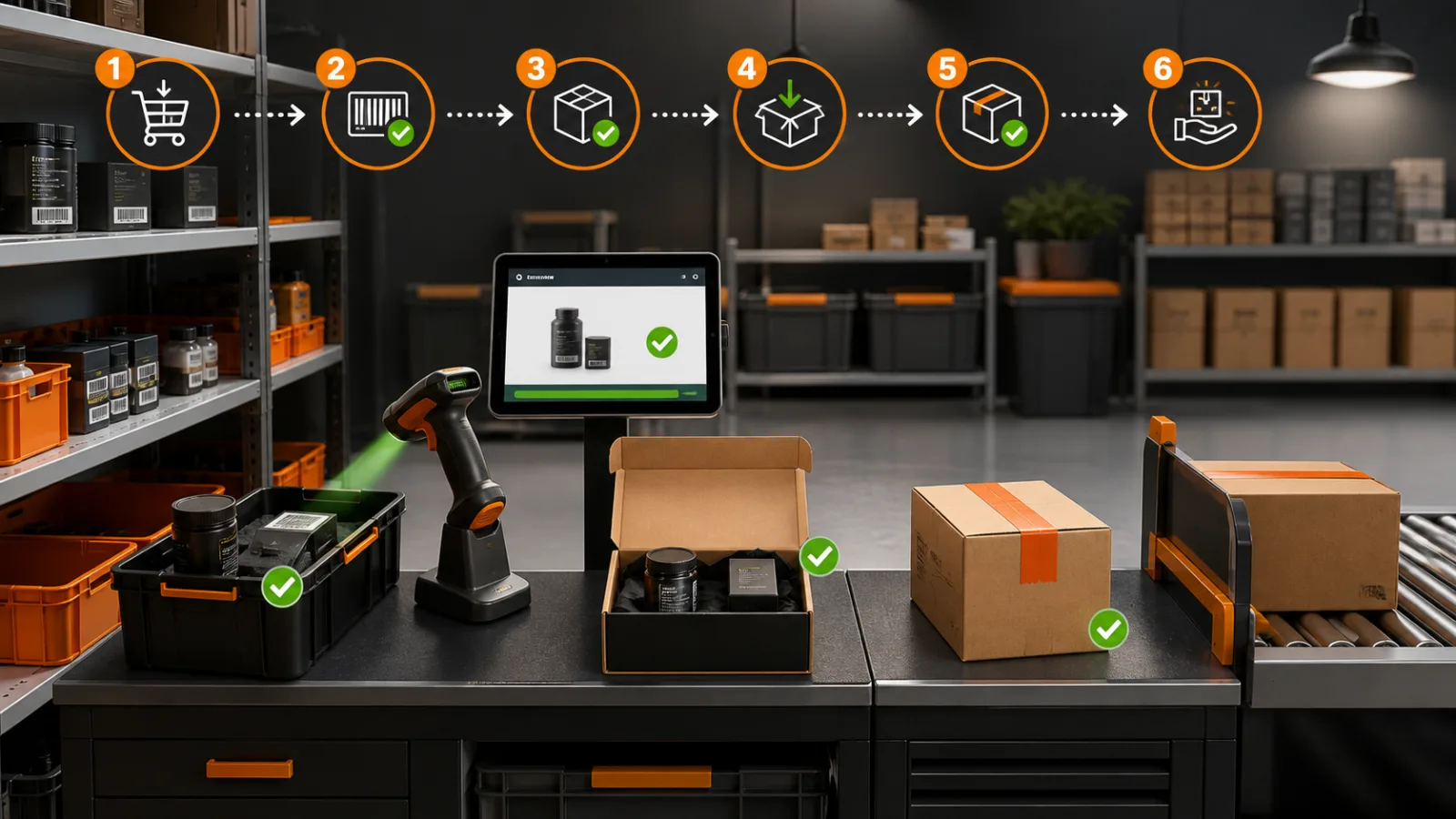
What we have seen is this: a Shopify checkout can quote shipping from correct product weights and still lose margin because the warehouse uses a larger box. The carrier measures the packed parcel, applies dimensional weight or a size adjustment, and the difference appears weeks later on an invoice.
Contact StoreBuilt to align Shopify shipping rates with real packaging and carrier costs.
Table of contents
- Keyword decision
- Rate the parcel, not only the product
- Create a packaging master
- Design basket packing rules
- Reconcile quoted and invoiced cost
- Test customer and warehouse outcomes
- StoreBuilt point of view
Keyword decision
Primary keyword: Shopify package dimensions. Secondary intents include dimensional weight ecommerce UK, Shopify shipping rate accuracy and parcel size surcharge. Intent is technical-commercial: the merchant is diagnosing shipping margin or evaluating carrier-rate implementation. Competitor articles commonly list shipping apps; StoreBuilt can win the implementation gap between catalogue data, packing logic, checkout quote and carrier invoice.
Rate the parcel, not only the product
Carrier pricing can depend on origin, destination, service, actual weight, dimensional weight, parcel dimensions and surcharges. Product weight is only one input. A light but bulky lampshade may cost more than a compact heavy item.
| Value | Source | Risk if wrong |
|---|---|---|
| product weight | catalogue | incorrect base calculation |
| packed weight | warehouse rule or scale | missed packaging and inserts |
| parcel dimensions | approved package | dimensional-weight adjustment |
| service | checkout/routing | invalid price or promise |
| destination | customer address | zone or remote-area difference |
Do not publish one simplistic formula as universal truth. Carrier divisors, rounding, thresholds and surcharges vary by contract and service and can change. Use the current contracted rate source.
Create a packaging master
List every approved mailer, carton and specialist package with internal ID, internal dimensions, external dimensions, empty weight, usable capacity, maximum safe weight, cost and eligible services. External dimensions matter to carrier measurement; internal dimensions matter to fit.
An anonymous accessories merchant added a protective insert that increased one carton beyond a carrier threshold. Checkout logic still used the previous size, so invoice adjustments accumulated across a high-volume parcel profile. Versioning the packaging master and comparing invoice adjustments by carton made the change visible immediately.
| Packaging control | Purpose |
|---|---|
| unique package ID | ties quote, bench and invoice together |
| measured external size | supports carrier rating |
| tare weight | improves packed-weight estimate |
| allowed product groups | prevents unsafe packing |
| effective date | preserves historical analysis |
Re-measure samples rather than trusting supplier specifications forever. Tape, bulging soft goods and inconsistent assembly can change the carrier-measured envelope.
Explore Shopify shipping and carrier integrations for calculated rates and packing logic.
Design basket packing rules
Adding the length, width and height of products does not reliably predict a carton. Products rotate, nest, compress or require separation. Define packing rules for common baskets and exception categories.
Start with high-volume combinations. Decide whether products can share a parcel, which carton fits, maximum quantity, cushioning need and whether the order must split. Oversized, fragile, hazardous, chilled or made-to-order items need their own service logic.
If the system cannot calculate a safe pack, use a conservative fallback or obtain a post-order quote for business models that support it. Do not return a cheap but impossible service merely to keep checkout moving. Explain multiple parcels where this changes the customer experience.
Keep warehouse choice aligned with rating. If staff routinely choose a different carton because the recommended one is unavailable or impractical, fix the rule or replenishment; do not normalise overrides.
Reconcile quoted and invoiced cost
Store at least three monetary events: checkout shipping charged, label/service purchased and final carrier-invoiced amount. Add packaging cost, adjustment reason and refund or reattempt cost to understand contribution.
| Variance | Likely cause |
|---|---|
| invoice above label | remeasurement, surcharge or service correction |
| label above checkout charge | subsidy or rating mismatch |
| frequent carton override | packaging master or fit rule failure |
| high remote-area variance | destination rule gap |
| billed duplicate parcel | manifest or carrier reconciliation issue |
Create thresholds for absolute and percentage variance, then review by service, warehouse, carton and SKU combination. A small average can hide a loss-making oversized segment.
Challenge carrier adjustments with measurement and handover evidence where appropriate, but first correct repeat internal causes. Finance should not have to infer packaging from a general ledger line weeks later.
Test customer and warehouse outcomes
Build a matrix covering single items, common mixed baskets, maximum quantities, remote postcodes, multiple locations, split shipments and packaging unavailable at the chosen warehouse. Compare checkout quote, recommended package, actual pack, purchased label and invoice.
Check conversion as well as cost. An overly conservative rate can protect one order’s margin while suppressing checkout completion. Model free-shipping thresholds using actual distribution of packed cost rather than a headline average.
At the bench, make the recommended package obvious and measure override reason. Use scales and dimensional measurement proportionately, especially for new profiles and high-variance categories. Review data after product or packaging launches.
Request a Shopify audit if carrier invoice adjustments are eroding shipping margin.
Create a packaging-change release process
Treat a new carton, mailer or insert as an operational release. Record the old and new external dimensions, tare weight, product compatibility, unit cost, effective date and affected warehouses. Test real assembled packages; flat packaging specifications can differ from taped, filled and bulging parcels.
Before rollout, run high-volume and boundary baskets through the rating logic. A change of a few millimetres may move a parcel across a carrier band, while a lighter insert can reduce actual weight without changing dimensional weight. Compare at least the checkout quote, selected service, label price and expected invoice outcome. Confirm the warehouse can identify the new package code and that old stock will not be used silently after the effective date.
During the first weeks, report overrides and carrier adjustments daily for the changed profiles. Keep the prior configuration available for historical analysis, not as an active option. If two warehouses use different packaging, rate from the location likely to fulfil or choose a safe fallback until routing is known. Packaging procurement, ecommerce and finance should sign off the same evidence; otherwise a saving on carton unit price can quietly create a larger shipping-cost increase.
StoreBuilt point of view
StoreBuilt believes shipping price accuracy begins with the physical box. Connect catalogue weight, packaging dimensions, basket rules and carrier invoices in one feedback loop. If checkout and the warehouse describe different parcels, the carrier will eventually price the difference.