
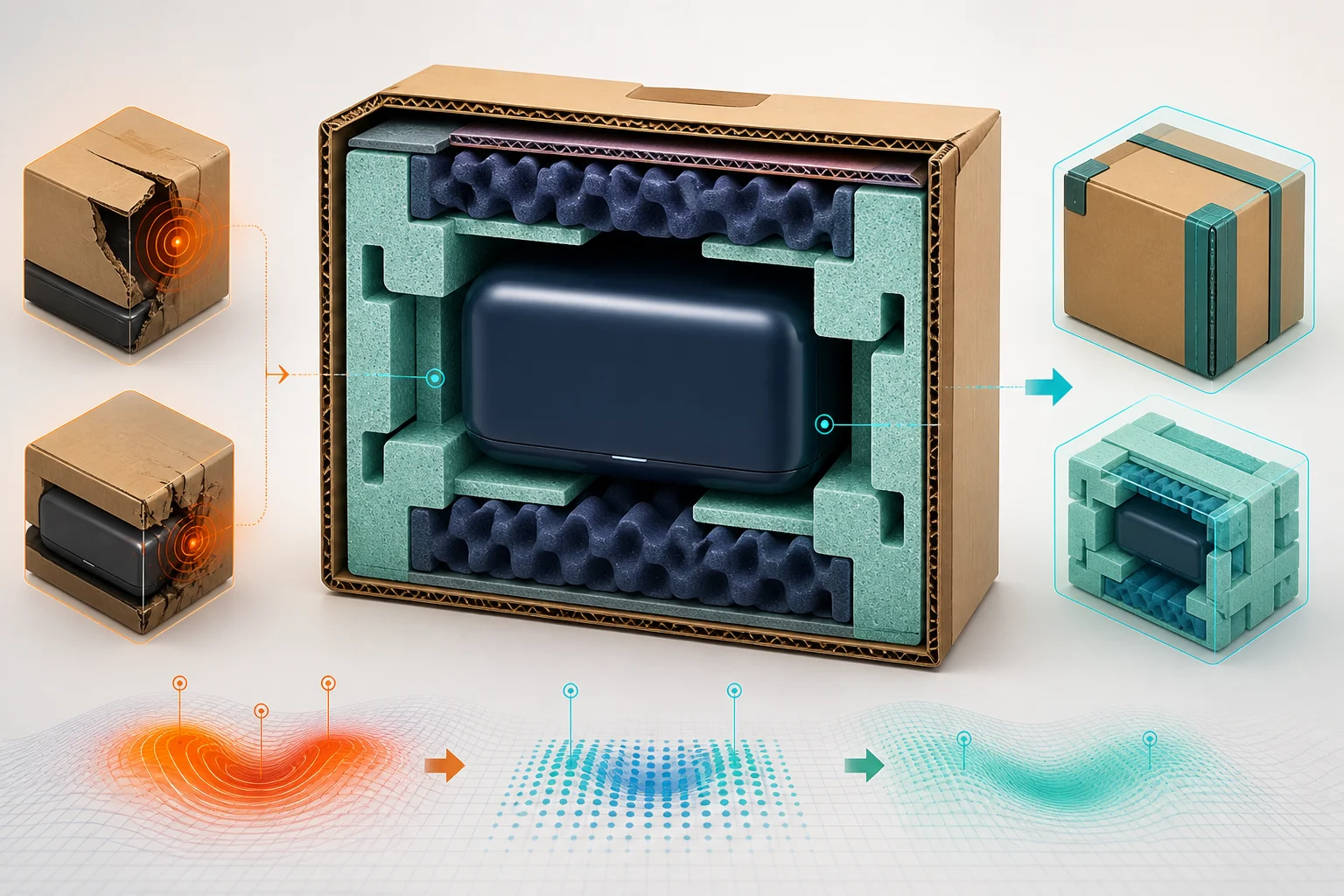
What we have seen in Shopify fulfilment reviews is this: damaged-order tickets often end with a refund or replacement, while the packaging evidence disappears inside the support inbox. An ecommerce packaging damage reduction process turns each case into product, pack and carrier data that prevents the same failure recurring.
Contact StoreBuilt if damaged-order remedies are visible but their operational causes are not.
Table of contents
- Keyword decision
- Capture usable evidence
- Create packaging profiles
- Test the pack system
- Connect service and claims
- Measure total damage cost
- StoreBuilt point of view
Keyword decision
Primary keyword: ecommerce packaging damage reduction. Secondary intents include Shopify damaged order workflow, UK ecommerce packaging and parcel damage analysis. Intent is practical operational improvement with support and fulfilment relevance. Current ecommerce content often discusses sustainable packaging or unboxing, while UK agency libraries give less attention to the data loop from a Shopify complaint to tested packaging change. StoreBuilt can compete with a system-led guide and relevant Shopify support and audit services.
Capture usable evidence
Resolve the customer fairly before turning the interaction into an investigation. Ask only for proportionate evidence and explain why it is useful. Depending on product and risk, this may include the outside of the parcel, shipping label, internal protection, damaged item and batch or serial detail. Avoid making a customer produce an excessive photo essay to access an appropriate remedy.
Use structured damage types: crushed, pierced, wet, opened, abraded, bent, shattered, leaking, temperature affected, component movement or cosmetic pack damage. Record whether outer packaging was damaged, because a perfect outer box with a broken product points to a different failure mode from a crushed parcel.
| Data point | Question answered | Owner |
|---|---|---|
| affected SKU and batch | is the product itself vulnerable? | product or QA |
| packaging profile | what materials and dimensions were used? | warehouse |
| pack station and time | was process variation involved? | operations |
| carrier and route | where did handling exposure occur? | logistics |
| customer evidence | what physically failed? | support |
| remedy and total cost | what did the incident consume? | finance and CX |
Link the case to Shopify order, fulfilment and tracking records. Keep sensitive customer information limited to what is needed and apply an agreed retention period.
Create packaging profiles
A product page rarely describes the shipped parcel. Create a packaging profile for common single-SKU and multi-SKU combinations. Include outer material, internal restraint, void fill, separators, seals, orientation, packed dimensions and expected weight. Name versions so a damage case can be linked to the pack actually used.
Segment products by fragility, weight concentration, liquid risk, sharp edges, surface sensitivity, temperature exposure and compression tolerance. The same carton may perform differently for a dense bottle and a soft textile. Consider how two safe products interact when shipped together.
Do not assume more material is safer. Excess void can allow movement; a larger carton can increase compression and dimensional cost; over-tight restraint can damage delicate surfaces. Design the complete system around product, route and handling rather than one component.
An anonymous UK homeware retailer had a repeat breakage pattern that support attributed to one carrier. Comparing cases by packaging version showed that substitutes used during a supply shortage lacked the usual corner restraint. The team could then correct purchasing and pack instructions rather than broadly changing carriers. This is a qualitative StoreBuilt pattern, not a fabricated reduction claim.
Test the pack system
Set acceptance criteria before testing. These can cover product integrity, presentation, seal security, leakage, dimensions, weight, packing time, recyclability requirements and ease of opening. Use relevant packaging specialists or formal test standards where product risk warrants them.
Run controlled comparisons instead of changing several elements at once. Test representative products, pack combinations and route risks. Include realistic warehouse execution: a perfect prototype assembled slowly by a designer may not represent a pack built during peak volume.
| Test | Reveals | Record |
|---|---|---|
| drop and impact | restraint and shock protection | orientation and failure point |
| compression | stacking vulnerability | load and duration |
| vibration | movement and abrasion | pack combination |
| moisture exposure | seal and material weakness | duration and ingress |
| operational trial | pack-time variability | station and operator feedback |
| live pilot | route and carrier reality | incident and customer feedback |
Approve a profile only with clear version, supported products, unsupported combinations and substitution rules. If an approved material is unavailable, the replacement should enter a fast validation path rather than an informal warehouse decision.
Connect service and claims
Map the Shopify support workflow from report to remedy, claim, inspection and corrective action. Use stable reason codes plus concise notes. If the item may present a safety risk, route it to the product-safety or specialist process immediately; ordinary packaging analysis is not a substitute.
For carrier claims, retain the evidence and timestamps required by the current contract. Claim outcome is not the only test of cause: a carrier may compensate a parcel without proving the pack design was optimal, or reject a claim because evidence was late even when handling contributed.
Check how replacement orders are created. They should reserve stock, carry a reference to the original incident and avoid confusing revenue or fulfilment reporting. Decide whether the damaged item should be returned, safely disposed of, inspected locally or retained for collection. This guide is operational guidance, not legal advice; UK merchants should validate consumer, safety and waste obligations for their products.
Explore Shopify integrations and automation for connecting support, fulfilment and reporting evidence.
Measure total damage cost
Count more than replacement product. Include outbound and replacement delivery, return transport, support time, warehouse time, packaging, carrier claim administration, write-off, recovered value and customer impact. Keep gross incident cost and recovered credits separate.
Report incident rate by shipped unit as well as absolute cases. Segment by SKU, batch, supplier, packaging version, warehouse, carrier, service, destination band and damage type. Low-volume products need careful interpretation; one case is a signal, not automatically a trend.
Create a corrective-action log with hypothesis, owner, change, test, deployment date and post-change review. Watch whether the failure moves: a stronger outer pack may reduce crushing but increase surface abrasion or parcel size.
Use customer language as qualitative evidence. Repeated descriptions such as “loose inside”, “wet at one corner” or “seal open” can reveal a pattern before the top-line rate appears material.
Request a Shopify audit to connect damaged-order cost with its storefront and fulfilment causes.
StoreBuilt point of view
StoreBuilt believes a damaged-order workflow should do two jobs: restore the customer fairly and preserve enough evidence to prevent recurrence. Give every parcel a packaging version, every incident a structured cause path and every fix a retest date. Better packaging is not simply more packaging; it is a verified system that survives the route without wasting margin or material.
Design a Shopify damage-prevention workflow with StoreBuilt.